17
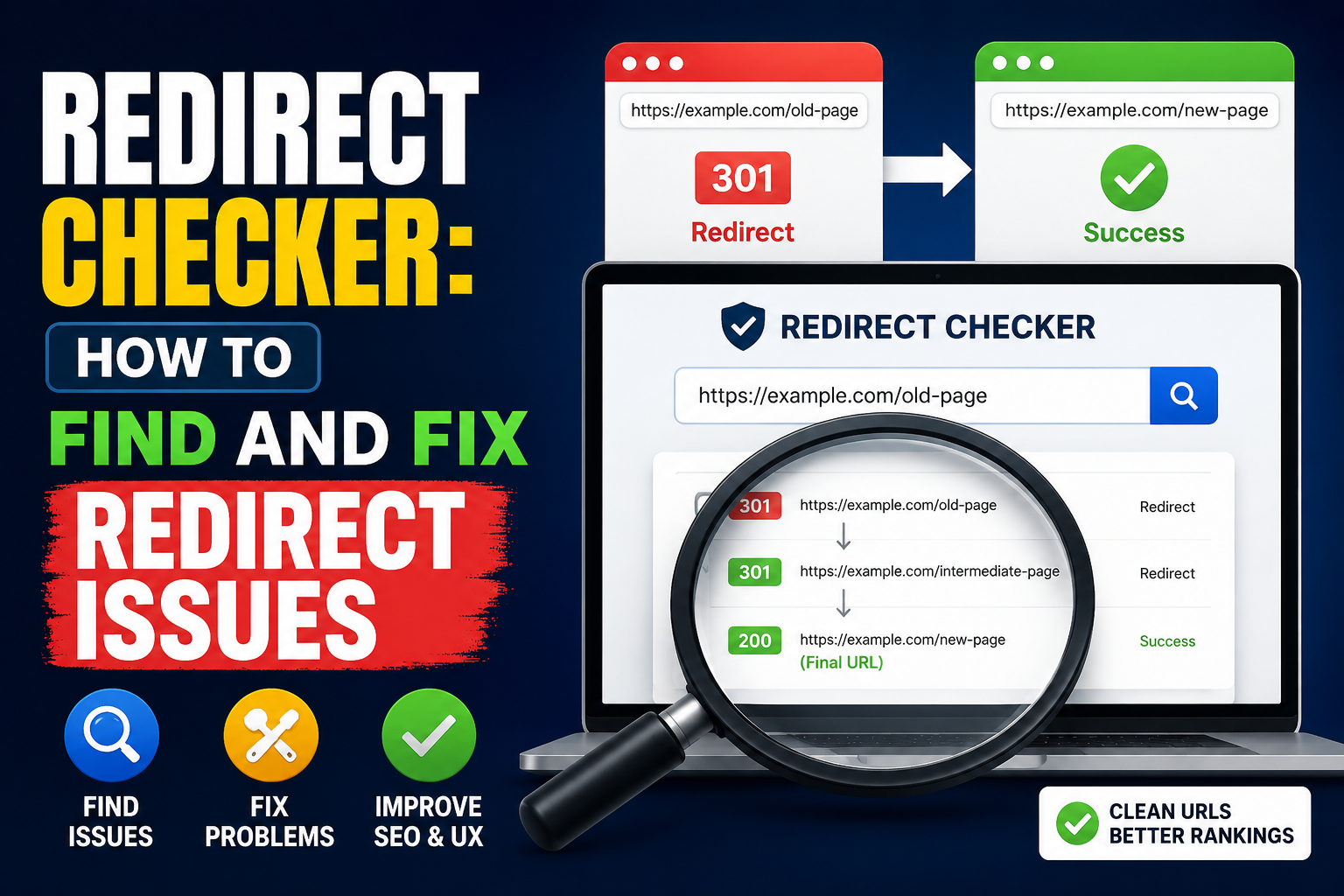
Redirect Checker: How to Find and Fix Redirect Issues
Learn how to use a Redirect Checker to identify and fix redirect chains, redirect loops, incorrect HTTP status codes, broken redirects, and other common redirect issues. This guide explains 301, 302, 307, and 308 redirects, their impact on SEO and website speed, and best practices for maintaining a clean and efficient URL structure.
Redirects are an essential part of website management and search engine optimization. They help send visitors and search engines from one URL to another when a page has been moved, deleted, renamed, or replaced. When redirects are configured correctly, users can reach the right content without confusion, and search engines can understand changes to a website.
However, incorrect or excessive redirects can create serious problems. Broken redirect chains, redirect loops, incorrect HTTP status codes, and unnecessary redirects can slow down a website, waste crawl resources, create poor user experiences, and sometimes cause SEO issues.
This is where a Redirect Checker becomes useful. A redirect checker allows website owners, SEO professionals, developers, and digital marketers to analyze how a URL responds and identify where it redirects. It can show the complete redirect path, HTTP status codes, destination URLs, and potential problems.
In this guide, we will explain what redirects are, how redirect checkers work, common redirect types, how to find redirect issues, how to fix them, and how redirects can affect SEO.
What Is a Website Redirect?
A website redirect is a method of automatically sending a user or search engine from one URL to another.
For example, suppose your website previously had this URL:
https://example.com/old-page
You replace the page with:
https://example.com/new-page
Instead of leaving visitors with a missing-page error, you can create a redirect that automatically sends visitors from the old URL to the new one.
The browser requests the old URL, the server responds with a redirect status code, and the browser follows the instruction to visit the new URL.
Redirects are commonly used when:
- A page URL has changed
- A website moves from HTTP to HTTPS
- A domain name changes
- Duplicate URLs need to be consolidated
- Products or categories are reorganized
- Old content is replaced
- A website migration takes place
- A page has been permanently removed
- Tracking or campaign URLs are configured
A properly implemented redirect provides a smooth transition between URLs.
What Is a Redirect Checker?
A Redirect Checker is an online tool that analyzes the redirect behavior of a URL.
When you enter a URL into a redirect checker, the tool examines the server response and identifies whether the URL redirects somewhere else.
For example:
URL A → URL B
A simple redirect checker may show:
- Original URL
- HTTP status code
- Redirect destination
- Final URL
- Number of redirects
- Redirect chain
- Whether the final page is accessible
For more complicated cases, a redirect checker can reveal something like:
URL A → URL B → URL C → URL D
This is called a redirect chain.
A checker can also identify a situation such as:
URL A → URL B → URL A
This creates a redirect loop, which prevents the browser from reaching a final page.
Why Should You Use a Redirect Checker?
Redirect problems are not always visible when browsing a website manually. A page may eventually load even though several redirects are happening behind the scenes.
A redirect checker makes these technical responses easier to understand.
1. Find Redirect Chains
A redirect chain occurs when one URL redirects to another URL that redirects again.
For example:
Page A → Page B → Page C
Although the visitor eventually reaches Page C, the website is making multiple requests before displaying the final content.
Ideally, the original URL should redirect directly to the final destination:
Page A → Page C
Reducing unnecessary redirects can improve efficiency and make URL management easier.
2. Detect Redirect Loops
A redirect loop happens when URLs continuously redirect between each other.
For example:
A → B → A → B
The browser cannot reach a final destination.
Users may see an error such as "Too many redirects."
Redirect loops can be caused by incorrect server rules, conflicting plugins, HTTPS configuration, CDN settings, or CMS configurations.
3. Check HTTP Status Codes
Redirect checkers can identify the HTTP status code returned by a URL.
Common redirect status codes include:
- 301 – Permanent Redirect
- 302 – Temporary Redirect
- 303 – See Other
- 307 – Temporary Redirect
- 308 – Permanent Redirect
Understanding these status codes is important for both website functionality and SEO.
4. Verify HTTPS Redirects
Many websites redirect HTTP URLs to HTTPS versions.
For example:
http://example.com
should normally redirect to:
https://example.com
A redirect checker can help verify whether the HTTPS migration is working correctly.
5. Test Website Migrations
When moving a website to a new domain or changing URL structures, hundreds or thousands of redirects may need to be created.
Checking important URLs before and after migration can help identify mistakes before they affect visitors and search engines.
Common HTTP Redirect Status Codes
Understanding HTTP status codes makes redirect analysis much easier.
301 Permanent Redirect
A 301 redirect tells browsers and search engines that a URL has permanently moved to another location.
Example:
example.com/old → example.com/new
301 redirects are commonly used when:
- Changing URLs permanently
- Moving a website
- Replacing old pages
- Consolidating duplicate pages
- Changing domain names
For permanent URL changes, 301 is generally the appropriate choice.
302 Temporary Redirect
A 302 redirect generally indicates that the redirect is temporary.
For example, you may temporarily send visitors from:
example.com/page
to:
example.com/promotion
If the original URL is expected to return later, a temporary redirect may be appropriate.
Using a temporary redirect when a move is actually permanent can create confusion, so the redirect type should match the actual purpose.
307 Temporary Redirect
A 307 redirect is another temporary redirect status code. It preserves the HTTP method used in the original request.
It can be useful in situations where maintaining the request method is important.
308 Permanent Redirect
A 308 redirect indicates a permanent redirect while also preserving the HTTP method.
It is technically different from a 301, although both can communicate a permanent URL change.
What Is a Redirect Chain?
A redirect chain occurs when several redirects happen before the final URL loads.
For example:
old-page → page-1 → page-2 → final-page
Each additional redirect creates another request.
Redirect chains commonly appear after multiple website redesigns.
For example, a page may originally have been:
/article
Later it becomes:
/blog/article
And eventually:
/resources/article
If old redirect rules are never updated, you could end up with:
/article → /blog/article → /resources/article
Instead, the old URL should ideally redirect directly to:
/article → /resources/article
Why Redirect Chains Are a Problem
Long redirect chains can:
- Increase page loading time
- Create unnecessary server requests
- Make crawling less efficient
- Complicate website maintenance
- Increase the chance of broken redirects
- Make troubleshooting more difficult
For SEO-focused websites, minimizing unnecessary redirect hops is generally a good practice.
What Is a Redirect Loop?
A redirect loop is more serious than a redirect chain.
It occurs when redirects point back to previously visited URLs.
Example:
URL A → URL B → URL A
The browser keeps receiving redirect instructions without reaching a final page.
This can produce errors such as:
ERR_TOO_MANY_REDIRECTS
Common causes include:
- Incorrect .htaccess rules
- Incorrect Nginx configuration
- HTTPS configuration conflicts
- CDN settings
- WordPress plugins
- Incorrect canonical URL configuration
- Reverse proxy settings
- Conflicting redirect rules
A redirect checker can help identify the URLs involved in the loop.
How to Use a Redirect Checker
Using a redirect checker is generally straightforward.
Step 1: Choose the URL
Find the URL you want to test.
For example:
https://example.com/old-page
Step 2: Enter the URL
Paste the URL into your redirect checker.
Step 3: Run the Test
The tool sends a request to the URL and follows the redirects.
Step 4: Review the Results
Look for:
- HTTP status code
- Redirect destination
- Number of redirects
- Final URL
- Redirect chain
- Errors
Step 5: Identify Problems
If the tool shows multiple unnecessary redirects, a redirect loop, or an incorrect status code, investigate the website configuration.
How to Find Redirect Issues on Your Website
Finding redirect problems requires checking both individual URLs and the overall website structure.
Check Important Pages
Start with your most valuable URLs.
These may include:
- Homepage
- Main service pages
- Product pages
- Blog posts
- Landing pages
- Category pages
- High-traffic URLs
Test old URLs and recently changed URLs to make sure they reach the intended destination.
Check Old URLs
If your website has been redesigned or migrated, create a list of previously indexed URLs and check whether they redirect correctly.
A useful redirect structure is:
Old URL → Relevant New URL
Avoid sending every old page to the homepage unless there is no more relevant destination.
Check HTTP and HTTPS
Test both versions:
http://example.com
and
https://example.com
The HTTP version should generally redirect correctly to the HTTPS version if HTTPS is the preferred protocol.
Check WWW and Non-WWW Versions
Some websites use:
www.example.com
while others use:
example.com
Choose your preferred version and ensure the alternative version redirects consistently.
Inconsistent configurations can create duplicate URL versions or redirect problems.
How to Fix Redirect Chains
If a redirect checker identifies a chain, update the redirect rules so the first URL points directly to the final destination.
Instead of:
A → B → C
use:
A → C
For example:
/old-product → /category → /new-product
can ideally become:
/old-product → /new-product
This reduces unnecessary redirects and simplifies your website's URL structure.
How to Fix Redirect Loops
Fixing a redirect loop requires identifying the conflicting rules.
Start by checking:
- Server redirect rules
- CMS settings
- Plugins
- CDN configuration
- HTTPS settings
- Reverse proxy configuration
- Canonical URL settings
For WordPress websites, multiple plugins can sometimes create conflicting redirect rules.
For server-based configurations, inspect the relevant configuration files.
If you are not comfortable editing server settings, it is safer to have a developer review the configuration before making changes.
Redirects and SEO
Redirects are closely connected to SEO because search engines use URLs to discover, crawl, and index content.
When a page permanently moves, a correctly configured permanent redirect helps search engines understand the relationship between the old URL and the new URL.
However, redirects should not be used carelessly.
Preserve Relevant Content
When redirecting an old URL, the destination should ideally provide content that satisfies the same or a closely related user intent.
For example:
/best-running-shoes
should preferably redirect to a relevant running-shoes page rather than an unrelated homepage.
Avoid Mass Redirecting Everything to the Homepage
Redirecting hundreds of unrelated old URLs to the homepage may create a poor user experience and may not provide useful signals to search engines.
Where possible, redirect URLs to their most relevant replacement.
Update Internal Links
If a page has permanently moved, don't rely only on redirects.
Update internal links so they point directly to the new URL.
For example, instead of:
Internal link → old URL → redirect → new URL
use:
Internal link → new URL
This removes unnecessary redirect requests.
Redirects and Website Speed
Every redirect requires an additional request before the final content can be loaded.
For example:
Request → Redirect → Request → Redirect → Request → Page
A long redirect chain can therefore add latency.
This is particularly important for mobile users and slower network connections.
The goal should be to keep important URLs as direct as possible.
Redirects During Website Migration
Website migrations are one of the most common situations where redirect problems occur.
A migration might involve:
- Changing domain names
- Changing URL structures
- Moving from HTTP to HTTPS
- Changing CMS platforms
- Reorganizing website categories
- Combining multiple websites
Before launching a migration, prepare a redirect mapping.
For example:
Old URLNew URLRedirect
/old-service | /services/new-service | 301
/old-blog | /blog | 301
/old-product | /products/new-product | 301
After implementation, test the redirects with a redirect checker.
Redirect Best Practices
Following redirect best practices can prevent many common problems.
Use the Correct Redirect Type
Use permanent redirects for permanent URL changes and temporary redirects for genuinely temporary situations.
Keep Redirect Chains Short
Whenever possible, redirect the original URL directly to the final URL.
Avoid Redirect Loops
Every redirect should eventually reach a valid final destination.
Redirect to Relevant Pages
The destination should be useful and related to the original URL.
Update Internal Links
Don't keep linking to URLs that redirect if you can update the links.
Monitor Redirects Regularly
Website changes can introduce new redirect issues. Regular testing can help identify problems early.
Maintain a Redirect Map
For large websites, maintain a record of important redirects. This makes future migrations and troubleshooting easier.
Common Redirect Problems and Solutions
Problem 1: Too Many Redirects
Cause: Multiple redirect rules or a long redirect chain.
Solution: Identify the complete chain and change the original URL to redirect directly to the final destination.
Problem 2: Redirect Loop
Cause: Conflicting redirect rules.
Solution: Review server, CMS, plugin, CDN, and HTTPS settings.
Problem 3: Wrong Destination
Cause: Incorrect redirect mapping.
Solution: Change the redirect target to the most relevant replacement page.
Problem 4: HTTP Does Not Redirect to HTTPS
Cause: HTTPS redirect configuration is missing or incorrect.
Solution: Review server or hosting configuration and ensure the preferred HTTPS version is configured consistently.
Problem 5: Old URLs Return 404
Cause: No redirect exists after a URL change.
Solution: Create a relevant permanent redirect when an appropriate replacement page exists.
Problem 6: Redirects Work on Desktop but Not Through Another Service
Cause: Differences in CDN, caching, proxy, or server behavior.
Solution: Test the URL from multiple environments and review infrastructure configuration.
Redirect Checker for SEO Audits
A redirect checker can be an important part of a technical SEO audit.
During an audit, check:
- Redirect chains
- Redirect loops
- 301 redirects
- 302 redirects
- HTTPS redirects
- WWW redirects
- Broken redirects
- Redirected internal links
- Redirected backlinks
- Old URLs
- Migration URLs
The goal is to create a clean URL architecture where important pages can be accessed efficiently.
Redirect Checker vs. Broken Link Checker
These tools are related but serve different purposes.
A Redirect Checker focuses on what happens after a URL request, including redirects and HTTP responses.
A Broken Link Checker focuses primarily on finding links that lead to unavailable or problematic URLs.
For example:
A URL returning 301 may be perfectly functional but still worth updating if internal links point to it.
A URL returning 404 is usually a broken destination that requires investigation.
Using both types of tools can provide a more complete view of website health.
Redirect Checker for Developers
Developers can use redirect checkers while working on:
- Server migrations
- Routing systems
- API endpoints
- HTTPS configuration
- Domain changes
- CMS migrations
- URL restructuring
- Reverse proxy setups
Developers should verify that redirects behave correctly for different HTTP methods and request scenarios where relevant.
Redirect Checker for SEO Professionals
SEO professionals can use redirect checkers during technical audits and migrations.
A typical SEO workflow may involve:
- Exporting existing URLs
- Identifying URLs that have changed
- Mapping old URLs to new URLs
- Implementing redirects
- Testing redirect responses
- Checking redirect chains
- Updating internal links
- Monitoring indexing and traffic
This process helps reduce the risk of losing valuable traffic after website changes.
How Often Should You Check Redirects?
There is no single schedule that works for every website.
Small websites can check redirects whenever major URL changes occur.
Large websites should include redirect testing as part of regular technical SEO monitoring.
You should especially check redirects after:
- Website redesigns
- Domain migrations
- HTTPS changes
- URL restructuring
- CMS migrations
- Server changes
- CDN changes
- Major plugin installations
- Removing large numbers of pages
Final Thoughts
Redirects are a normal and necessary part of managing a modern website, but poorly configured redirects can create technical and SEO problems.
A Redirect Checker provides a simple way to understand what happens when a URL is requested. It can reveal HTTP status codes, redirect destinations, redirect chains, loops, and other issues that may not be obvious from normal browsing.
The most important principles are simple: use the appropriate redirect type, avoid unnecessary redirect chains, fix redirect loops, send users to relevant destinations, update internal links, and regularly test important URLs.
Whether you operate a small blog, an e-commerce store, a business website, or a large content platform, keeping redirects clean and predictable can improve website usability, technical performance, and overall SEO health.
If your website has recently changed its URLs, migrated to a new domain, switched to HTTPS, or undergone a redesign, running your important URLs through a redirect checker is an excellent way to verify that everything is working as expected.
Contact
Missing something?
Feel free to request missing tools or give some feedback using our contact form.
Contact Us