17
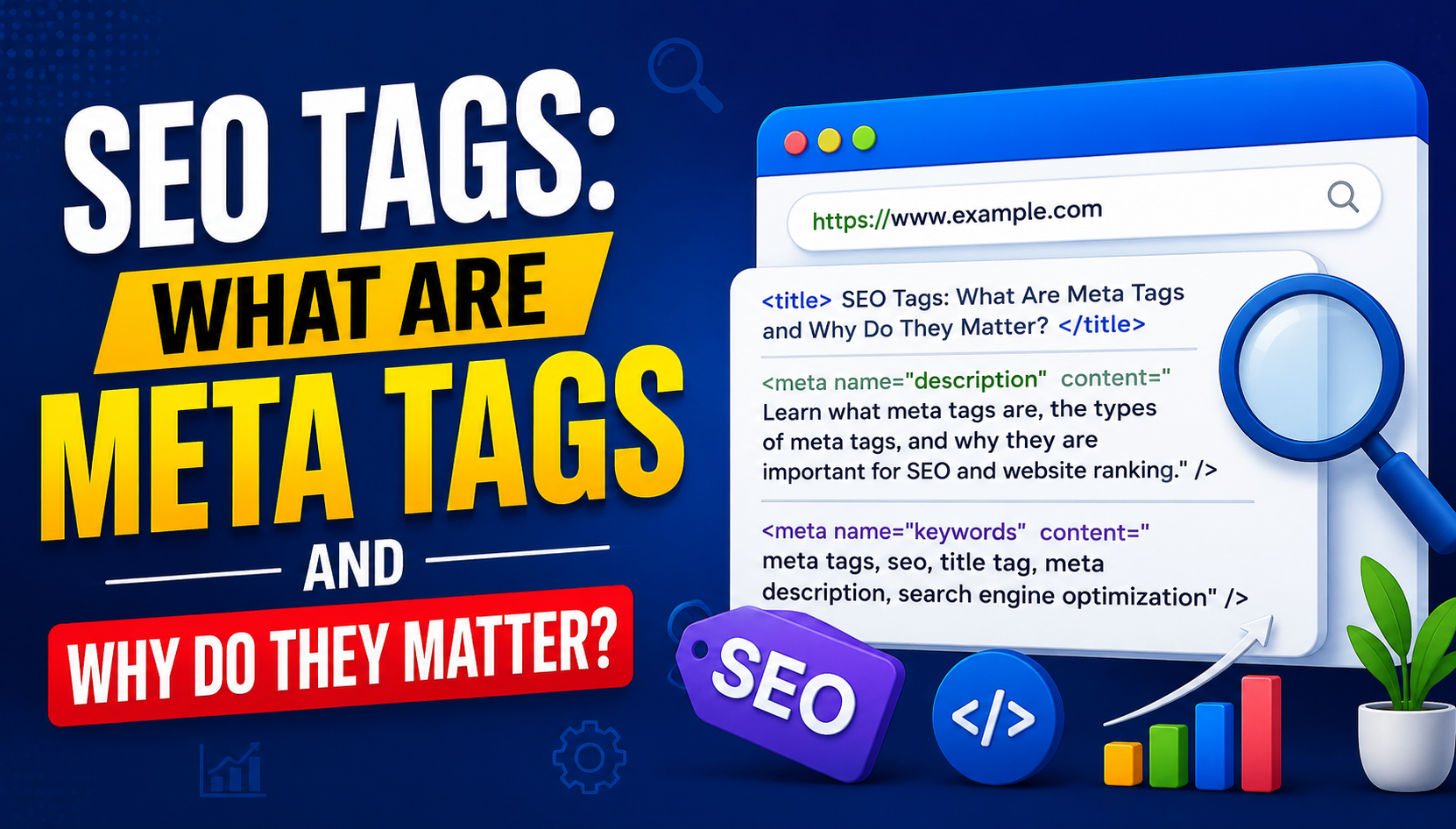
SEO Tags: What Are Meta Tags and Why Do They Matter?
Learn what meta tags are, how they work, and why they matter for SEO. This beginner-friendly guide explains meta titles, meta descriptions, robots tags, viewport tags, Open Graph tags, common mistakes, optimization techniques, and best practices for improving your website's search and social presence.
Meta tags are an important part of on-page SEO and help search engines understand information about a webpage. They are pieces of HTML code placed inside the <head> section of a webpage. Most meta tags are not directly visible to website visitors, but they can provide search engines and browsers with useful information about the page.
If you own a website, publish blog posts, run an online store, or work in digital marketing, understanding meta tags can help you improve your website's technical SEO and search appearance.
Some meta tags are directly useful for search engines, while others primarily control how browsers, social platforms, or crawlers interact with a page. Not every meta tag is a ranking factor, and using more tags does not automatically improve rankings.
In this guide, we will explain what meta tags are, the most important types of meta tags, how they work, how to optimize them, common mistakes to avoid, and why they matter for SEO.
What Are Meta Tags?
Meta tags are HTML elements that provide information about a webpage.
They are generally placed inside the <head> section of an HTML document.
A simple example looks like this:
<meta name="description" content="Learn how to optimize meta tags for better SEO.">
Visitors normally do not see this information as part of the visible webpage content.
Instead, meta tags provide instructions or information to search engines, browsers, and other systems.
Meta tags can help communicate information about:
- Page descriptions
- Robots crawling and indexing
- Character encoding
- Viewport settings
- Search appearance
- Social media sharing
- Other page-level instructions
Why Are Meta Tags Important for SEO?
Meta tags can help search engines understand and process webpages.
However, their importance varies depending on the specific tag.
For example, the meta description can influence how a page may appear in search results, while the robots meta tag can provide important crawling and indexing instructions.
Some older tags, such as the meta keywords tag, have little or no value for modern Google Search.
Good SEO is not about adding every possible meta tag. It is about using the appropriate tags correctly.
How Do Meta Tags Work?
When a search engine crawler visits a webpage, it can access the HTML source code.
The crawler can read information contained in the <head> section, including relevant meta tags.
For example:
<head>
<title>SEO Guide for Beginners</title>
<meta name="description" content="Learn essential SEO techniques for improving website visibility.">
<meta name="robots" content="index, follow">
</head>
The browser and search engine can process these elements according to their respective rules.
Important Types of Meta Tags
There are several meta tags that website owners should understand.
The most useful ones include:
- Meta title
- Meta description
- Robots meta tag
- Viewport meta tag
- Charset meta tag
- Open Graph tags
- Other social metadata
Let's examine them individually.
Meta Title
The page title is one of the most important on-page SEO elements.
Technically, the title is created using the <title> element rather than a <meta> tag.
Example:
<title>SEO Tags: What Are Meta Tags?</title>
The title can appear in:
- Search engine results
- Browser tabs
- Bookmarks
- Shared links
- Search previews
A useful title should clearly communicate what the page is about.
For example:
SEO Tags: What Are Meta Tags and Why Do They Matter?
is more descriptive than:
SEO Tips
The title should accurately represent the content rather than simply targeting as many keywords as possible.
Meta Description
The meta description provides a summary of the webpage.
Example:
<meta name="description" content="Learn what meta tags are, how they work, and why they matter for SEO.">
Search engines may use the meta description as the snippet displayed below the title in search results.
However, search engines can also generate their own snippet when they believe another section of the page better matches a user's query.
How to Write a Good Meta Description
A good meta description should:
- Clearly describe the page
- Match search intent
- Be useful to users
- Include relevant terminology naturally
- Encourage a relevant click
- Avoid keyword stuffing
For example:
Learn what meta tags are, how they work, and how to optimize important SEO tags for better search visibility and website performance.
The goal should be usefulness rather than simply inserting keywords.
Meta Robots Tag
The robots meta tag provides instructions to search engine crawlers about how a page should be handled.
Example:
<meta name="robots" content="index, follow">
Common directives include:
- index
- noindex
- follow
- nofollow
- noarchive
- nosnippet
One important example is:
<meta name="robots" content="noindex">
This tells compliant search engine crawlers that the page should not be indexed.
When Is Noindex Useful?
A noindex directive can be useful for pages that should not appear in search results, such as certain:
- Internal utility pages
- Duplicate pages
- Temporary pages
- Low-value administrative pages
- Private or restricted content
It should be used carefully because accidentally adding noindex to an important page can prevent it from appearing in search results.
Viewport Meta Tag
The viewport meta tag is important for mobile-friendly webpages.
Example:
<meta name="viewport" content="width=device-width, initial-scale=1.0">
It tells browsers how to control the page's dimensions and scaling on different devices.
A properly configured viewport is important because people access websites from:
- Smartphones
- Tablets
- Laptops
- Desktop computers
Mobile usability is an important part of providing a good user experience.
Charset Meta Tag
The charset meta tag specifies the character encoding used by the document.
A common example is:
<meta charset="UTF-8">
UTF-8 supports a large range of characters and is widely used on modern websites.
Correct character encoding helps prevent problems such as strange symbols or incorrectly displayed text.
Meta Keywords Tag
The meta keywords tag was historically used to provide a list of keywords associated with a webpage.
Example:
<meta name="keywords" content="SEO, meta tags, SEO tags">
However, major search engines such as Google do not use the meta keywords tag as a ranking signal.
Therefore, website owners should not spend time trying to optimize this tag for Google rankings.
Instead, focus on:
- High-quality content
- Search intent
- Page titles
- Useful descriptions
- Internal linking
- Technical SEO
- Page experience
- Relevant keywords used naturally
Open Graph Meta Tags
Open Graph tags are not traditional Google SEO tags, but they are important for social sharing.
They help control how a webpage appears when shared on platforms that support Open Graph metadata.
For example:
<meta property="og:title" content="SEO Tags: What Are Meta Tags?">
<meta property="og:description" content="Learn how meta tags work and why they matter.">
<meta property="og:image" content="https://example.com/image.jpg">
<meta property="og:url" content="https://example.com/page">
These tags can help create more attractive and consistent social previews.
Twitter Card Metadata
Social platforms may also use metadata to control link previews.
For example, websites can provide Twitter/X card metadata such as:
<meta name="twitter:card" content="summary_large_image">
<meta name="twitter:title" content="SEO Tags Explained">
<meta name="twitter:description" content="A beginner's guide to meta tags and SEO.">
The exact way social platforms process metadata can change over time, but properly configured social metadata can improve the presentation of shared links.
Meta Tags vs. HTML Tags
Meta tags and HTML tags are not exactly the same thing.
HTML uses many different elements to structure a webpage.
Examples include:
- <h1>
- <p>
- <a>
- <img>
- <title>
- <meta>
Meta elements specifically provide metadata or instructions associated with the document.
For example:
<meta name="description" content="Page description">
The <h1> element, on the other hand, is visible page content:
<h1>SEO Tags Explained</h1>
Both can be important, but they serve different purposes.
Meta Tags and Search Engine Rankings
It is important to understand that not every meta tag directly improves rankings.
For example:
- Meta keywords are not a useful Google ranking signal.
- Meta descriptions are primarily useful for search-result snippets and click appeal.
- Robots directives can affect whether a page is indexed.
- Viewport metadata supports mobile presentation.
- Social metadata helps control sharing previews.
SEO should therefore focus on using the correct metadata for the correct purpose.
How to Optimize Meta Tags
Optimizing meta tags does not mean adding as many keywords as possible.
Instead, focus on relevance, accuracy, and user experience.
Optimize Your Page Titles
Make titles:
- Clear
- Specific
- Relevant
- Concise
- Useful to searchers
Include the primary topic naturally when appropriate.
Write Helpful Meta Descriptions
Describe what the user will find on the page.
Avoid writing descriptions that promise something the content does not provide.
Use Robots Directives Carefully
Only use noindex or other restrictive directives when there is a clear reason.
Configure the Viewport Correctly
Make sure your website works properly across mobile and desktop devices.
Use Social Metadata
Add Open Graph and appropriate social metadata if your content is frequently shared.
Common Meta Tag Mistakes
Many websites have problems with metadata because of incorrect configuration.
Duplicate Meta Descriptions
Having the same meta description across hundreds of pages reduces its usefulness.
Each important page should ideally have a relevant description.
Missing Meta Descriptions
A missing meta description is not necessarily an SEO disaster because search engines can generate snippets themselves.
However, for important pages, providing a useful description can give you more control over the messaging.
Keyword Stuffing
Avoid writing titles or descriptions that contain the same keyword repeatedly.
For example:
SEO Tags SEO Meta Tags SEO Keywords Meta Tags SEO Tags
This looks unnatural and provides a poor user experience.
Misleading Titles
Do not use a title that does not accurately represent the page.
A misleading title may increase clicks temporarily but can hurt user satisfaction.
Accidental Noindex
This is a potentially serious technical SEO problem.
If an important page contains:
<meta name="robots" content="noindex">
search engines may not include that page in their index.
Incorrect Canonical Configuration
Although canonical tags are not meta tags, they are another important <head> element.
An incorrect canonical URL can create indexing confusion.
Meta Tags and Technical SEO
Meta tags are part of technical and on-page SEO.
During a technical SEO audit, you can review:
- Page titles
- Meta descriptions
- Robots directives
- Viewport configuration
- Charset
- Canonical URLs
- Open Graph metadata
- Other relevant metadata
Tools can help identify missing, duplicated, or incorrectly configured elements.
How to Check Meta Tags
You do not need advanced programming skills to inspect meta tags.
Method 1: View Page Source
Open a webpage and use the browser's View Page Source option.
Search for:
<meta
You can then inspect the metadata inside the <head> section.
Method 2: Browser Developer Tools
Open Developer Tools and inspect the HTML document.
Look inside the <head> section for:
- Title
- Description
- Robots
- Viewport
- Open Graph tags
- Other metadata
Method 3: SEO Tools
Many SEO auditing tools automatically check metadata across websites.
They can identify:
- Missing titles
- Duplicate titles
- Long titles
- Missing descriptions
- Duplicate descriptions
- Robots issues
- Other technical problems
Meta Tags for E-Commerce Websites
Meta tags are particularly useful for online stores because e-commerce websites can have thousands of pages.
Product pages may need unique titles and descriptions.
For example:
Bad title:
Product | Store
Better title:
Men's Running Shoes – Lightweight Sports Shoes | Store Name
The title should accurately represent the product and search intent.
Product pages should also have appropriate structured data where applicable. Structured data is not the same as meta tags, but it can provide additional information to search engines.
Meta Tags for Blog Posts
Bloggers should pay particular attention to:
- Page title
- Meta description
- Robots directives
- Canonical URL
- Open Graph metadata
- Social sharing metadata
A useful blog title should communicate the main topic immediately.
For example:
HTTP Headers Explained: A Beginner's Guide
is clearer than:
Everything You Need to Know About Headers
The first title communicates the subject directly.
Meta Tags and Click-Through Rate
Meta descriptions can influence how users perceive search results.
A clear and relevant snippet may encourage more users to click.
However, meta descriptions are not guaranteed to be displayed exactly as written.
Search engines may replace them with content from the page when they believe another snippet better matches the search query.
Therefore, write meta descriptions for users, but understand that search engines control the final search-result presentation.
Meta Tags and Social Media
Meta tags can also affect how links appear when shared.
Without appropriate social metadata, a platform may choose an image, title, or description automatically.
With Open Graph metadata, you can provide preferred information.
For example:
<meta property="og:title" content="SEO Tags Explained">
<meta property="og:description" content="Learn what meta tags are and why they matter.">
<meta property="og:image" content="https://example.com/seo.jpg">
This can make shared links look more professional and consistent.
Best Practices for Meta Tags
Follow these basic practices:
- Write unique and relevant page titles.
- Create useful meta descriptions for important pages.
- Avoid keyword stuffing.
- Use robots directives carefully.
- Make sure important pages are not accidentally set to noindex.
- Use a correct viewport configuration.
- Use UTF-8 character encoding.
- Add appropriate social metadata.
- Keep metadata consistent with page content.
- Review metadata during regular SEO audits.
Meta Tags Checklist
Before publishing a webpage, check:
Does the page have a descriptive title?
Is the title relevant to the page?
Does the page have a useful meta description?
Is the description unique where appropriate?
Is the page accidentally set to noindex?
Is the viewport configured correctly?
Is UTF-8 specified?
Are Open Graph tags configured?
Does the social preview use the correct image?
Does the metadata accurately represent the content?
Frequently Asked Questions
Are Meta Tags Important for SEO?
Yes, some meta tags are important for SEO and technical website management, but their impact varies. Titles and robots directives are particularly important, while meta keywords are not useful for Google rankings.
Does Meta Description Improve Rankings?
A meta description is not a direct Google ranking factor. However, a relevant and compelling description can help improve the presentation of a search result and potentially influence clicks.
Are Meta Keywords Still Used?
Google does not use the meta keywords tag as a ranking signal. Website owners should focus on useful content and relevant on-page optimization instead.
How Long Should a Meta Description Be?
There is no fixed character limit that guarantees the exact display of a meta description. Search engines may truncate or rewrite snippets depending on the device and query. Focus on making the description concise, accurate, and useful.
Can Meta Tags Hurt SEO?
Incorrect meta tags can cause problems. For example, an accidental noindex directive can prevent a page from being indexed.
Where Are Meta Tags Located?
Most meta tags are placed inside the <head> section of an HTML document.
Final Thoughts
Meta tags are a small but important part of website optimization. They provide information and instructions that can help search engines, browsers, and social platforms understand and process webpages.
The most important thing is not to add every possible meta tag. Instead, use the right metadata for the right purpose.
Focus on descriptive page titles, useful meta descriptions, carefully configured robots directives, correct viewport settings, and appropriate social metadata. Avoid outdated practices such as relying on meta keywords for Google rankings.
When combined with high-quality content, strong internal linking, good technical SEO, fast performance, mobile usability, and a positive user experience, properly configured metadata can help create a healthier and more search-friendly website.
Understanding meta tags is therefore an essential skill for website owners, bloggers, developers, and SEO professionals who want to improve their website's technical foundation and search presentation.
Contact
Missing something?
Feel free to request missing tools or give some feedback using our contact form.
Contact Us